Last updated: September 2026
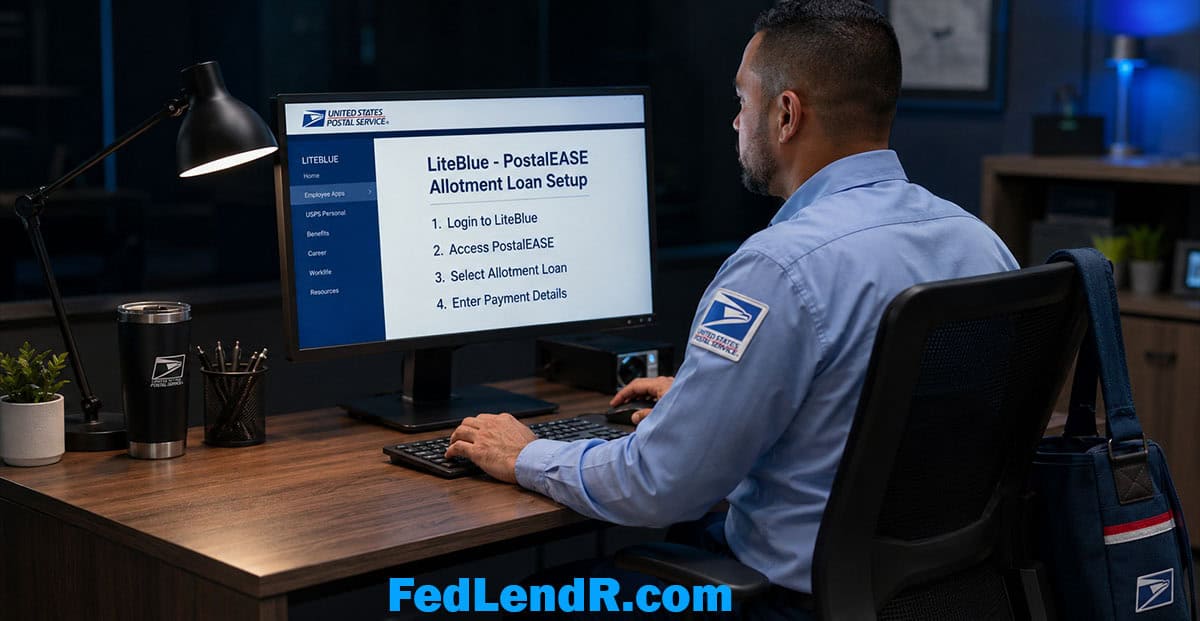
To repay an allotment loan as a USPS employee, you set up a payroll allotment in PostalEASE, the postal payroll self-service system you reach through LiteBlue.
An allotment loan is a personal installment loan repaid through a fixed deduction from your federal or USPS paycheck, taken before your pay reaches your bank account. Every payment lowers what you owe until the balance is zero.
FedLendR is an independent educational resource that explains how these loans work for federal and USPS employees and connects readers who choose to apply with independent lending partners. FedLendR is not a lender.
This page covers the setup itself: what to have in hand, where to click, and how to confirm the money reached your lender.
One thing first. Read your loan agreement for the total repayment amount, the fees, and the payment per pay period. That payment has to fit your take-home pay after it comes out.
The setup is simple.
The decision to borrow is yours.
After you tap “See My Loan Options,” your request continues on our lending partner’s secure application page. That page uses a different name than FedLendR. That is normal. Finish your application there to see your loan options.
What Is a Payroll Allotment?
A payroll allotment is a recurring deduction you authorize from your own pay, sent to an account you name before the rest of your check is deposited.
Plenty of postal workers already use one to move money into savings every payday. An allotment loan uses the same mechanism for repayment. The payment goes to the lender each pay period. Nothing to remember, nothing to mail.
That structure is also why lenders in this space weigh your job so heavily. Repayment built into the paycheck lowers the lender’s risk. Your credit score is not the primary factor. Your federal employment is.
Not approved yet? Start with the secure form. An independent lender reviews your request, and you see the full cost before you agree to anything.
How USPS Employees Set Up a Payroll Allotment in PostalEASE
PostalEASE is the USPS self-service system for payroll and benefits choices. USPS’s own employee notice gives the path in one line: under the Payroll heading, select Allotments / Payroll Net to Bank, then complete the worksheet.
Screens change. If yours looks different, the two labels to look for are Payroll and Allotments.
Have these in hand before you log in:
- Your Employee ID, printed at the top of your pay stub
- Your LiteBlue password and your MFA method (phone or authenticator app)
- Your lender’s 9-digit routing number
- The account number your lender gave you for this loan
- The account type your lender tells you to select, checking or savings
- Your exact payment per pay period from your loan agreement
Then follow these seven steps:
- Log in to LiteBlue. Go to liteblue.usps.gov. Type the address yourself instead of clicking a search result or an ad. Enter your Employee ID and password, then complete multifactor authentication (MFA). USPS turned on MFA in January 2023, and you cannot reach PostalEASE without it. If you have not set it up, use the Multifactor Authentication link under the login box first.
- Open PostalEASE. From LiteBlue, open PostalEASE in the employee apps. You may be asked to sign in again.
- Select Allotments / Payroll Net to Bank. USPS lists this option under the Payroll heading. It opens the allotment worksheet.
- Choose to begin an allotment. The worksheet asks what you are doing: begin, change, or cancel. Pick an open allotment line and choose begin. Leave your Net to Bank line alone. That line is where the rest of your paycheck goes.
- Enter the lender’s banking details. Type the 9-digit routing number, the account number, and the account type (checking or savings) exactly as your lender gave them to you. Check every digit twice. One wrong number sends your payment to the wrong place.
- Enter the amount per pay period. Use the per-pay-period payment from your loan agreement. USPS pays every two weeks, so do not enter a monthly figure.
- Review, submit, and save the confirmation. Read the worksheet back before you submit. USPS says the online version lets you print a written confirmation of the banking information you entered. Print it or screenshot it, and keep it with your loan paperwork.
You cannot do this by phone anymore. Older guides say you can start or change an allotment through the PostalEASE phone line. USPS disabled allotment and net to bank changes by phone in February 2023, after criminals used stolen LiteBlue logins to reroute paychecks. I have found nothing saying it came back.
The number still works as a help line. If you are locked out or stuck, call the HR Shared Service Center at 1-877-477-3273. USPS’s notice says to choose option 5 and ask for benefits. Phone menus change, so listen to the prompts.
Protect your login. In late 2022, fake LiteBlue websites collected postal workers’ passwords. The thieves rerouted direct deposits and created allotments to accounts they controlled. The USPS Office of Inspector General covered it in audit report 23-134-R24.
A legitimate lender never needs your LiteBlue login, your password, or your MFA code. They give you their banking details. You enter them yourself. If anyone asks for your login to “set it up for you,” walk away.
For how the allotment fits into the loan itself, see our guide to allotment loans for postal employees.
Not a Postal Worker? How Other Federal Employees Set Up Payroll Allotments
PostalEASE is USPS only. Civilian federal agencies run payroll through a handful of shared providers, and each one has its own self-service portal.
- myPay (mypay.dfas.mil). Run by the Defense Finance and Accounting Service. Department of Defense civilian employees use it.
- Employee Personal Page (nfc.usda.gov). Run by USDA’s National Finance Center. The Department of Homeland Security is on it, which covers TSA and CBP employees. Its self-service option handles financial allotments.
- Employee Express (employeeexpress.gov). Run by the Office of Personnel Management for a number of other agencies.
Not sure which one is yours? Your HR or payroll office can tell you in one call.
I am not going to print click paths for these portals. Menus change, and a wrong label wastes your time. What does not change is what you need: the lender’s routing number, the account number for your loan, and your payment per pay period.
Know the rule before you count on it. Civilian allotments are governed by 5 CFR 550, Subpart C. Agencies must let you send allotments to your own accounts at a financial organization. Allotments for other legal purposes, which the regulation calls discretionary allotments, are allowed at the agency’s discretion, and the agency can limit how many you have. The total can never exceed the pay you are due for that period.
So ask your payroll office one question before you sign a loan: “Can I add an allotment to this lender, and do I have an open slot?”
One boundary. The loan products on this site are for civilian federal and USPS employees. Active-duty service members are covered by the Military Lending Act and are not served here.
What Happens After You Set Up the Allotment
The first deduction. Timing depends on where you are in the pay cycle when you submit. USPS pays every two weeks, and payroll runs on its own cutoff. Ask your lender for the expected date of the first allotment payment. Ask, too, how the first payment is handled if the allotment has not started by then.
Your pay stub. The allotment shows up with your other deductions on your earnings statement, which you can pull up through LiteBlue. If it is missing from the first statement after setup, check the next one, then call the HR Shared Service Center.
Confirm the lender got paid. Seeing the deduction is half the job. Log in to your loan account after that pay date and confirm the payment posted. Ask your lender how long posting usually takes. If it runs past that window, call them with your PostalEASE confirmation in hand.
Changing the amount. If you refinance or your payment changes, go back to the same worksheet and choose change, not begin. Entering it as a new allotment can leave you with two deductions running.
A short paycheck. Allotments cannot exceed the pay you are due. If leave without pay shrinks a check, the allotment may not come out, and the payment is still owed. Call your lender before that payday, not after.
When the loan is paid off. Plan to cancel the allotment yourself. Cancel is one of the three actions on the PostalEASE worksheet, and under the civilian rules only the employee can authorize a change or cancellation. Put the payoff date on your calendar.
If you leave the Postal Service. The allotment stops when the paychecks stop. The balance does not. Your loan agreement should name a backup payment method, often a draft from your bank account. Read that section before you sign. Our full breakdown of how allotment loans work covers the rest.
Allotment Repayment vs. Bank Draft: What's the Difference?
| Feature | Payroll Allotment | Bank Draft (ACH) |
|---|---|---|
| When the payment is taken | Before your pay reaches your bank account | After your pay reaches your bank account |
| Risk of a missed payment | Low while you are on the payroll. It comes out at the source. | Possible if your balance is short that day |
| Overdraft or returned-payment fees | Not on this payment. It never touches your checking account. | Possible if the draft hits an empty account |
| Who sets it up | You, in your payroll portal | The lender, with your written authorization |
| Who it fits | Active federal and USPS employees | Borrowers who have left federal service, or non-federal borrowers |
For an active employee, the allotment is the cleaner setup. The payment is handled before you can spend it, and there is no overdraft to worry about on that payment.
It does not make a loan cheaper. It makes it harder to miss. Read the full cost before you sign either way.
Frequently Asked Questions
How do I set up an allotment in PostalEASE?
Log in to LiteBlue with your Employee ID, password, and multifactor authentication, then open PostalEASE. Under the Payroll heading, select Allotments / Payroll Net to Bank. Choose to begin an allotment, enter your lender’s routing number, account number, and account type, then enter your payment per pay period. Save the confirmation when you submit.
Can I set up or change a PostalEASE allotment by phone?
No. USPS disabled allotment and net to bank changes through the PostalEASE phone system in February 2023, after criminals used stolen LiteBlue logins to reroute paychecks. I have found nothing from USPS or the postal unions saying it came back. The HR Shared Service Center at 1-877-477-3273 is still the help line if you are locked out or stuck, but the allotment itself is set up online in PostalEASE.
How many allotments can a USPS employee have?
A small number, and I am not going to print one. USPS materials and union guides do not agree on the count. PostalEASE shows your allotment lines when you log in, so look at what is open before you apply. Savings allotments use the same lines, so an allotment you already send to a credit union counts.
What if I do not have a LiteBlue password or MFA set up?
Fix that first, before a lender is waiting on you. Use the Forgot Password link on the LiteBlue login page and follow the prompts, then set up multifactor authentication from the link under the login box. Some identity checks are handled by email and some by mail, so I will not guess at how long yours takes. If you are stuck, call the HR Shared Service Center at 1-877-477-3273.
How long until the first deduction comes out of my check?
It depends on where you are in the pay cycle when you submit. USPS pays every two weeks, and payroll works on its own cutoff. Ask your lender for the expected date of your first allotment payment and how the first payment is handled if the allotment has not started by then. Then check your next earnings statement to see the deduction.
What information does the lender give me to set up the allotment?
Three things: the 9-digit routing number, the account number tied to your loan, and the exact payment per pay period. Ask which account type to select, checking or savings. Do not guess at any of it, and do not reuse numbers from a friend’s loan or an old email. Enter exactly what your lender gave you for this loan.
Do I need permission from USPS or my agency to set up an allotment?
In PostalEASE there is no supervisor sign-off step. You enter the allotment yourself and payroll processes it. For civilian federal agencies the rule is narrower than many websites claim. Under 5 CFR 550.311, agencies must allow allotments to your own accounts at a financial organization, and each agency decides whether to allow allotments for other purposes and how many. Check with your payroll office before you count on one.
Should I give my lender my LiteBlue login so they can set it up for me?
No. Never share your Employee ID, password, or MFA code with anyone, including a lender. A legitimate lender gives you their banking details and you enter them yourself. Postal workers had entire paychecks rerouted in late 2022 after typing their logins into fake LiteBlue websites, and the USPS Office of Inspector General audited it.
What happens to the allotment when my loan is paid off?
Ask your lender before you sign, and plan to cancel the allotment yourself. Cancel is one of the three actions on the PostalEASE worksheet. Under the civilian rules, only the employee can authorize a change or cancellation of an allotment. Mark your payoff date on a calendar so you are not sending money after the balance is zero.
What if I leave the Postal Service before the loan is paid off?
The allotment stops when the paychecks stop. The balance does not. Your loan agreement should spell out the backup payment method, which is often a draft from your bank account. Read that section before you sign, and call your lender before your last day so a payment is not missed.
Does FedLendR set up my allotment or lend the money?
No. FedLendR is an independent educational resource, not a lender. We do not make credit decisions, fund loans, service accounts, or touch your PostalEASE account.
We explain how allotment loans work and connect readers who choose to apply with independent lending partners.
If you have not applied yet start the secure form on this page.
After you tap “See My Loan Options,” your request continues on our lending partner’s secure application page. That page uses a different name than FedLendR. That is normal. Finish your application there to see your loan options.
A Quick Word on the Name
FedLendR is short for Federal Lender. We are an independent, privately owned educational resource operated by Jer Ayles.
We are not affiliated with the U.S. Postal Service, the Federal Reserve, or any government agency. FedLendR is not the R programming package and is not Federated Lending Corporation. We are not a lender.
Allotment Loans for Federal Employees
The complete guide: what they are, who qualifies, and how payroll repayment works.
Allotment Loans for Postal Employees
The USPS guide: how postal workers qualify, apply, and repay through payroll.
How Allotment Loans Work
From application to funding to payroll deduction, in plain English.
Allotment Loans vs. Payday Loans
The honest difference: a balance that pays down versus a rollover cycle.
Can an Allotment Loan Build Credit?
When on-time payroll payments help your credit file, and when they do not.
Federal Employees With Bad Credit
How lenders weigh your job when your score is working against you.
A Second Allotment Loan?
What to weigh before stacking a second loan on the first.
Compare Allotment Loan Options
Kashable, BMG Money, credit unions, and lender networks side by side.
FedLendR.com is an affiliate marketing site. We may receive compensation when you click links and apply for loan products featured on this site. Loan approval, amounts, rates, and terms are determined solely by the lender and are not guaranteed. Not all applicants will qualify. Loan products and availability vary by state. FedLendR.com is not a lender and does not make credit decisions.
Written by Jer Ayles | 20+ years in consumer lending | About FedLendR
About the author
Jer Ayles has spent more than 20 years in consumer lending. He built and sold 15 storefront lending locations and consults lenders nationwide through Trihouse Consulting. He runs FedLendR to give federal and postal workers straight answers about payroll-deduction borrowing. More about Jer.